How to Update an AI Document Without Mixing Versions
Updating an existing document with an artificial intelligence assistant often starts with good intentions. You have an office policy, a client agreement, or a project plan. A small detail needs changing, such as a mileage reimbursement rate or an equipment allowance.
Many people paste an entire document into an assistant and ask it to make the update.
An assistant often returns a complete, polished draft. But when you inspect the result, quiet errors can emerge. The assistant may rewrite sentences in unaffected sections, smoothing away precise phrasing. It might update the document date at the top to today, erasing the date the original policy was approved. It can drop conditions on other rules. Without a line-by-line comparison, you cannot tell which paragraphs changed.
In software development, programmers face similar version challenges. When fixing a calculation, engineers generally avoid asking tools to rewrite an entire application. Doing so risks introducing subtle bugs and wiping out earlier work. Instead, they isolate the specific code that needs updating, apply a targeted change called a patch, verify the resulting logic, and record version history independently.
You can apply those habits to everyday office documents through a disciplined revision routine. By isolating your updates, writing bounded prompts, assembling a working copy, and keeping drafts separate pending approval, you can direct an assistant to update specific text without mixing versions or corrupting baseline facts.
Step 1: Isolate the Target and Provide Read-Only Context
The most reliable way to protect your document is to withhold parts that should not change.
Instead of pasting the entire document into the chat window, copy only the specific section or paragraph that requires the update. In administrative work, this is your target section.
When you isolate the target:
- Copy the exact text of the relevant section, including its section number or heading.
- Note the baseline approval date and status of the parent document for your own records.
- Keep the master document untouched on your computer as a secure baseline.
If an assistant needs additional context to understand cross references, acronyms, or dependencies, provide those related sections as clearly labeled read-only reference material. Explicitly instruct the assistant that reference sections are not mutable targets and must not be altered. If cross references or document dependencies are unclear, stop and ask for clarification rather than guessing or omitting necessary context.
Some file-editing assistants can patch files directly, but generating full replacement text in an open prompt window can easily drift. Withholding unneeded text protects surrounding paragraphs while the assistant generates its draft.
Step 2: Write a Bounded Revision Prompt
Without explicit boundaries, an artificial intelligence model may treat silence as permission to rephrase sentences or restructure content. If you tell it to update a number, it may also adjust neighboring words.
To keep the assistant focused, write a bounded revision prompt with strict rules:
- State the exact new fact or number to introduce.
- Instruct the assistant to preserve existing sentence structure where possible.
- Require the assistant to preserve conditional statements (such as "subject to manager approval").
- Prohibit guessing. If an owner, deadline, or fee is missing from the update instructions, require the assistant to label it as "Unknown".
- Instruct the assistant to output only the revised section and an explicit list of changes.
Target section to revise:
"Section 4.2: Standard mileage reimbursement is set at 50 credits per mile for approved travel. Reimbursement requests must be submitted within 14 calendar days of travel."

Revision instructions:
Update the standard mileage rate to 58 credits per mile based on the May 2026 executive memo.
Preserve the 14-day submission requirement exactly as written.
Do not alter surrounding phrasing.
Output the revised section and note the specific edit made.
By constraining the prompt, you reduce the assistant's job from creative rewriting to precision editing.
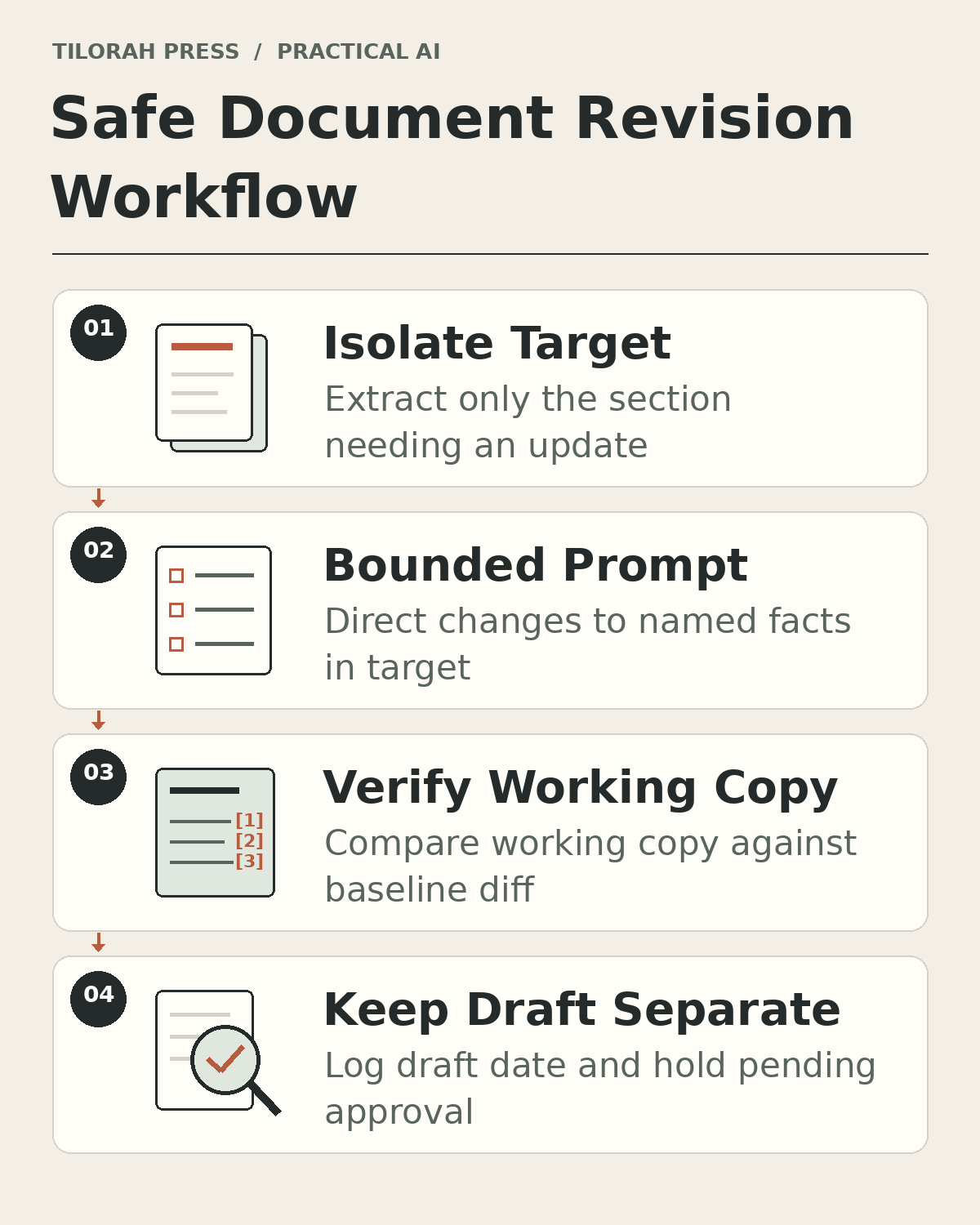 Figure 1: The safe revision workflow isolates the target section, applies bounded prompt rules, verifies a working copy against the baseline, and keeps drafts separate pending approval.
Step 3: Revise a Working Copy and Compare Against the Baseline
Never paste an assistant's draft directly into your protected master document before authorized review. Instead, assemble the revised text into a separate working copy of the document.
Once your working copy is assembled, perform a side-by-side comparison of the whole resulting document against your protected baseline. In engineering, this comparison is known as reviewing a diff (the difference between two versions).
Check four specific items:
- Fact accuracy: Did the assistant insert the exact new value requested?
- Unintended drift: Did the assistant quietly rewrite neighboring sentences?
- Condition preservation: Are qualifications, eligibility rules, and approval requirements still intact?
- Uncertainty handling: Did the assistant invent details to fill gaps?
If the assistant altered phrasing that was supposed to stay fixed, restore the original wording from the baseline.
Step 4: Track Timestamps and Keep Drafts Separate
A frequent source of version confusion is date clobbering. When people update a document, they often overwrite the date on the cover page. Months later, nobody knows when the policy was originally enacted or whether the current text was ever formally approved.
In a disciplined revision routine, track distinct dates independently:
- Baseline dates: Retain each supplied baseline field, such as creation date, original approval date, or effective date. Avoid equating these distinct milestones. If a baseline date is not supplied in the source document, mark it as Unknown rather than guessing.
- Modification date: Record the specific draft date or revision timestamp when the proposed update was created.
Software version tools track edits to text files, but technical versioning does not prove business approval or policy sign-off. Maintain a clear distinction between operational states:
- Draft ready: The revision has been drafted and checked against source notes, ready for stakeholder review.
- Approved: Authorized decision-makers have signed off on the revision.
- Active or published: The approved text has taken effect or been released to its audience.
Keep the revised working copy separate from the active master document pending the authorized release decision. Labeling a working document as "Draft ready (pending approval)" prevents team members from mistaking an unapproved proposal for active company policy.
A Worked Example with a Fictional Agreement
Consider an office facilities agreement. This example is fictional.
The original baseline text reads:
Document: FAC-2026-A (Approved: 2026-02-15)
Section 6.1 Booking: Rooms must be reserved at least 24 hours in advance.
Section 6.2 After-hours access: Evening events past 18:00 require written facilities approval. A custodial fee applies if food is served.
The baseline record provides an Original Approval Date of 2026-02-15. It does not state an effective date, so the baseline effective date is recorded as Unknown.
The facility manager receives a fictional memo dated 2026-05-10: "Starting 2026-06-01, evening events after 18:00 no longer need advance written approval if attendance is under 20 people. Custodial fee is 75 credits when food is served. Weekend bookings remain unchanged."
The memo provides a future starting date (2026-06-01), an attendance threshold (under 20 people), and a custodial fee (75 credits). It preserves the food condition ("when food is served"). But it does not name who collects the fee or state who has manager sign-off authority.
Using the supplied scenario draft date of 2026-05-10, a bounded revision prompt produces an inspectable draft patch:
### Proposed Revision: Section 6.2 (Draft ready for review)
Parent Document: FAC-2026-A
Original Approval Date: 2026-02-15
Effective Date: Unknown
Draft Revision Date: 2026-05-10 (supplied scenario date)
Approving Authority: Unknown
Status: Draft ready for review (pending decision; approving authority Unknown)
Baseline Custodial Fee: Applies if food is served (historical baseline amount: Unknown/not supplied)
Proposed Custodial Fee Revision: 75 credits when food is served (fee effective date: Unknown)
Fee Collection Owner: Unknown

Revised Text:
Section 6.2 After-hours access: Before 2026-06-01, evening events past 18:00 require written facilities approval. Starting 2026-06-01, evening events past 18:00 require written facilities approval unless attendance is under 20 people; attendance of 20 or more people continues to require written facilities approval. Baseline fee rule: A custodial fee applies if food is served (historical baseline amount: Unknown/not supplied). Proposed fee revision: Custodial fee is 75 credits when food is served (memo-supplied proposed revision amount: 75 credits; fee effective date: Unknown). Fee collection owner: Unknown.

Revision Notes:

- Preserved baseline Original Approval Date (2026-02-15) and recorded Effective Date as Unknown since it was not supplied.
- Recorded draft revision date as 2026-05-10 from the supplied scenario date.
- Noted approving authority as Unknown because the memo does not state sign-off authority.
- Preserved baseline approval requirement before 2026-06-01 where all evening events past 18:00 require written facilities approval.
- Added future exemption starting 2026-06-01 for attendance under 20 people, while attendance of 20 or more people continues to require written facilities approval.
- Preserved the baseline food-triggered custodial fee rule while recording the historical baseline fee amount as Unknown/not supplied.
- Identified 75 credits as the memo-supplied proposed revision amount when food is served, recording fee effective date as Unknown because the memo does not explicitly state fee timing.
- Marked fee collection owner as Unknown.
- Section 6.1 booking rule (at least 24 hours in advance) and weekend booking policy remain unchanged and were excluded from modification.
The draft patch is transparent. It retains the February approval baseline, records effective date as Unknown, preserves the approval requirement before June 1, adds the 2026-06-01 exception for attendance under 20 people while keeping written approval for attendance of 20 or more, preserves the baseline food-triggered fee with historical amount Unknown, labels the memo-proposed 75-credit fee with timing Unknown, marks missing owners and authorities as Unknown, and leaves Section 6.1 safe from accidental edits. The working copy remains separate pending an authorized decision.
Limits of Prompt Boundaries
Working with artificial intelligence requires honest boundaries.
First, natural language instructions are behavioral requests, not operating system permissions. Telling an assistant "only read this paragraph" guides its responses, but it does not lock down your file system. Always keep master copies in a secure baseline location and work in separate draft files.
Second, an assistant cannot evaluate whether an update makes business sense. It can format a revision and match wording, but human judgment must evaluate the policy itself.
Third, when two update notes contradict each other, never let the assistant guess which one to follow. If one email says the fee is 75 credits and another says 90 credits, the assistant must flag the conflict as an open question for human decision. Chronological update rules cannot assume that any later note automatically supersedes earlier conflicting instructions: only an explicit, authorized same-entity correction or status update can supersede an earlier instruction. Unresolved proposals and conflicts must remain unresolved until formally decided.
Taking Your Next Step
Updating documents safely does not require complex software. It requires the developer habit of treating revisions as small, bounded changes rather than wholesale replacements.
When you update your next document:
- Copy only the paragraph that needs to change, providing related context as read-only reference if required.
- Give the assistant explicit rules on what to update and what to preserve.
- Keep original baseline dates intact, mark unsupplied fields as Unknown, and record the draft revision date separately.
- Assemble changes in a separate working copy and keep the draft separate pending authorized approval.
For a deeper foundation on setting clear boundaries and defining inspectable acceptance criteria for everyday administrative tasks, read our guide on thinking like a developer without coding.