Claude Duet Preview: 24 Hours with Anthropic's Always-On Agent
I spent the last 24 hours using Claude Duet, the new research preview from Anthropic. My verdict is simple. Claude Duet is very organized, and that alone makes it promising. It sits ahead of OpenAI's Dots because you can actually see what your software is doing. At the same time, it is still behind xAI's Grok Bot, which feels more mature because it has been in public beta longer.
If you are trying to understand where these tools fit into everyday life, you do not need an engineering background. You only need a clear sense of what these assistants are, where the software stands today, and how to try them without creating surprises on your calendar or your credit card.
What These Tools Actually Are
Most people know standard AI chatbots. You type a prompt, read a reply, and then decide what to type next.
An AI agent goes one step further. An agent is software that takes a broader goal, figures out the required steps on its own, and uses computer tools to complete the work.
An always-on agent (sometimes called a proactive agent) takes that idea to the background. Instead of sitting idle until you type a message, it stays awake on a virtual machine (a remote computer running in the cloud) with its own web browser. Your personal phone or laptop can be switched off while the agent continues working, checking your connected tools every few hours, and pinging you when something needs your attention.
Three companies now offer always-on agents:
- Claude Duet, announced by Anthropic on October 21, 2026, as a research preview (an early experimental version shared with testers to gather direct feedback). It runs as a standalone app on iOS and Android, as well as on claude.ai, and is currently rolling out through a waitlist (a queue for access) starting with US subscribers on Claude Pro, Max, and Ultra tiers.
- Grok Bot, launched by xAI into public beta on August 11, 2026. Each Grok Bot runs on its own cloud computer, signs into your designated tools, works through multi-step assignments, and checks back when an action requires your sign-off.
- Dots, announced by OpenAI at DevDay on September 29, 2026; always-on agents that work in the background, available inside ChatGPT.
What Stood Out in Claude Duet: Structure and Visibility
What immediately caught my eye with Claude Duet was its organization.
When you hand jobs to an autonomous assistant, the easiest thing to lose track of is what it is doing. Duet tackles this problem through a clean, structured workspace. In my first day, I noticed three distinct elements that make the layout work well:
- Channels: You can set up multiple channels, which act like separate rooms or topic folders. Instead of dumping every request into one long chat, you can dedicate a channel to a project, keeping related updates gathered in one spot.
- Tasks and templates: You can create a task (a distinct unit of work with a defined goal), and Duet can generate a template for a routine, such as a daily to-do list or a list of emails to answer. A template is a starting pattern for a routine.
- Running-task breakdown: Duet shows a breakdown of the task currently running, so you can see what it is working on.
Anthropic built Duet to send a morning brief summarizing important items across your connected apps (outside accounts like email or calendars linked via software connectors). It checks those services on a recurring schedule and messages you if it spots something urgent. Anthropic openly notes that it is still tuning when Duet should message you, and warns that the preview might still misread an email thread or misjudge what is genuinely urgent.
When Duet wants to complete an external action, it relies on an approval step. Before the agent can send a message, make a payment, sign a document, or delete a file, it stops and asks for your permission. Even with your permission, Anthropic keeps certain sensitive activities off-limits entirely, such as moving money between bank accounts or trading securities.
Why Grok Bot Still Leads
Despite Duet's clean presentation, Grok Bot remains ahead in my view.
The reason is simple: Grok Bot has been out longer. xAI launched its public beta on August 11, 2026, about two months before Duet was announced, so it has had more time to mature.
Duet is an early preview. The foundation is solid, but it has a lot to improve. I sent in a few feedback notes, and I hope feedback from more testers helps it improve.
Why Duet Beats Dots on Interface
While Duet trails Grok Bot on maturity, it comes out ahead of OpenAI's Dots in day-to-day usability.
Dots lives inside the ChatGPT app. I found it hard to keep track of which tasks I had given the agents, and I felt blindsided.
In Duet, I can see my channels, tasks, and what is running. In Dots, I found it hard to tell what each agent was working on.
A Beginner's First-Day Checklist
If you gain access to Claude Duet, Grok Bot, or Dots, do not immediately connect all your accounts and walk away. Treat your first day as an orientation period. You can apply the core mindset from Think Like a Developer Without Coding here: break the system down into small, observable parts before trusting it with anything essential.
Follow these four steps during your first 24 hours:
- Pick one low-risk task. Start with something read-only. Ask the agent to summarize a public document or draft a simple daily plan. Avoid tasks that touch sensitive personal data right away.
- Verify what is running. Look at the screen while the agent works. Can you easily see which task is active, what step it is executing, and whether it has paused? If an app makes it hard to see active jobs, pause and reassess.
- Test the approval step. Before you let an agent take action on the web, verify that it prompts you. Ensure it shows you a preview and halts before sending, paying, signing, or deleting.
- Watch your usage limits. Duet draws from the same usage limits (the amount of Claude use your plan includes over a period of time) as regular Claude chat. Background checks and larger tasks use more of those limits than standard conversation, so pay attention to how much you are using.
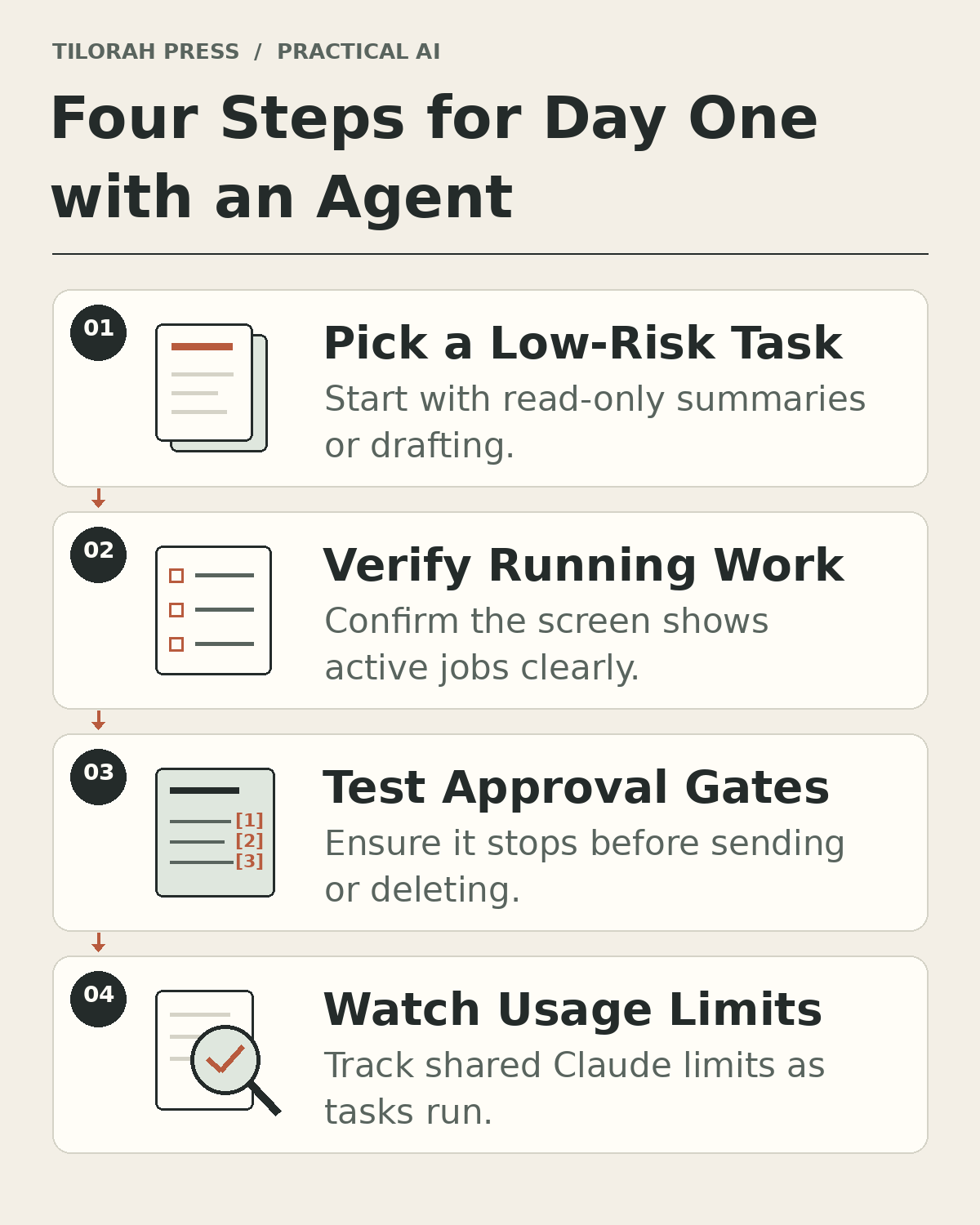 Figure 1: A four-step routine for your first day with an agent preview: start small, check what is running, test approvals, and watch usage limits.
A Short Worked Example (Hypothetical)
Here is a simple, safe way to test an agent workspace:
Imagine you open the app and generate a daily to-do template. You name the task "Morning Priorities" and assign it to a dedicated "Planning" channel. You ask the agent to draft three focus areas for your afternoon based on notes you paste into the window.
Once you submit the task, do not look away. Check the status screen. Does the interface clearly show "Morning Priorities: In Progress"? Does it tell you what step it is running? When it finishes, does it present a draft and wait, rather than trying to publish or export it without asking? Use what you observe to judge whether the workspace makes the task's progress clear.
How to Send Useful Feedback
Preview teams learn the most from specific notes. The teams building these apps do not need vague praise or general frustration. They need specific operational details.
Here is a made-up example note you can adapt (it is not my actual feedback):
"In the Planning channel, I set up the daily to-do template. The running-task indicator clearly showed progress while reading my notes. However, the agent sent an alert marked urgent for a task due next week, which felt miscalibrated. Please consider adding a setting to adjust urgency thresholds."
Honest Limits of This Review
Keep the context of this review in mind. These observations reflect one person using an early research preview over roughly 24 hours.
Preview software can change quickly. Features get rearranged and notification cadences get tuned. Furthermore, Claude Duet is available through a waitlist that starts with US users on Claude Pro, Max, and Ultra plans. You are watching an early public experiment take shape.
What to Do Next
If you receive an invite to test Claude Duet or another agent preview, start slow. Use the four-step checklist, keep your tasks small, and make sure you can see what the software is running. If an agent hides its background steps or leaves you guessing, step back.
Take a few minutes to read Think Like a Developer Without Coding to sharpen how you structure instructions, and explore AI coding agents: verify the work before adding more to see why verifying intermediate work is a good habit for any autonomous tool.