Shipping an App to the App Store and Google Play: What to Know First
A finished app is not a published app. Before anyone can download it on an iPhone or an Android phone, you need a developer account with each store, an identity check, a choice between enrolling as a person or as a business, and a pass through testing and review. Some of those steps take days or weeks of calendar time, no matter how fast you work.
I ship my own apps through both stores. This guide covers what each store asks for, what it costs, what becomes public when you enroll under your own name, and the checks that hold up a first submission. Start enrollment while the app is still being built, so the waiting happens in parallel. If you are also setting up hosting, domains, and databases, pair this guide with a one-page record for organizing your app's infrastructure.
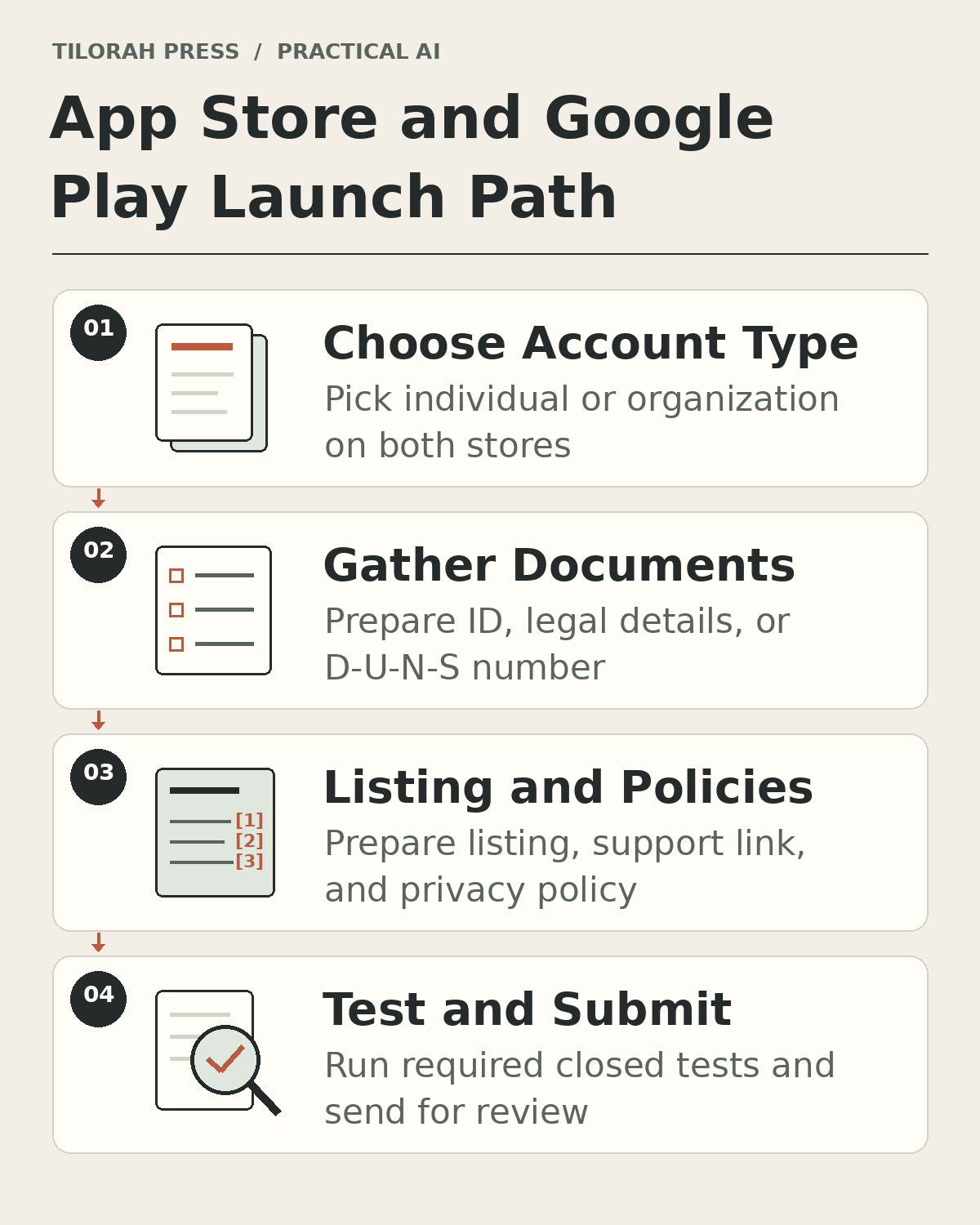 Figure 1: Four steps before shipping an app: choose account type, gather documents, prepare listing and policies, and test and submit.
What It Costs
To publish on both platforms, you pay an enrollment fee to each store. You join the Apple Developer Program to publish on the Apple App Store through App Store Connect (Apple's web portal for uploading packaged versions of your app and managing listings), and you register on Google Play Console (Google's web and mobile portal for managing Android releases) to publish on Google Play.
- Apple Developer Program: 99 USD per membership year, shown in your local currency when you enroll.
- Google Play Console: US$25, paid once. Prepaid cards are not accepted.
- D-U-N-S number: Free from Dun & Bradstreet, and only needed for organization accounts. Avoid third-party services that charge for it.
Apple offers fee waivers for eligible nonprofits, accredited educational institutions, and government entities. Google does not refund its fee if your identity verification information turns out to be invalid.
Terms You Will See
Signup forms on both stores use a few legal and administrative terms:
- Developer account: The verified membership account you open with Apple or Google that lets you upload builds, manage store pages, and sign distribution agreements.
- App Store Connect: Apple's web portal where you manage App Store listings, enter reviewer sign-in credentials, declare compliance status, and submit builds to App Review.
- Google Play Console: Google's management portal (available on the web and as a mobile app) where you manage Android listings, run testing tracks, verify your identity, and apply for production access.
- Legal entity: A formally registered organization, such as a corporation or limited liability company, able to enter legal contracts in its own name. Trade names, "doing business as" (DBA) filings, and branches do not count as separate legal entities.
- D-U-N-S number: A nine-digit business identifier from Dun & Bradstreet that Apple and Google use to verify an organization's legal existence and address.
- Closed test: A restricted release track on Google Play where invited testers opt in and use a pre-release build before a personal account can apply for production.
- Trader status: A label from European consumer law that says whether you deal with customers as a business. Apple asks every developer to declare it for the European Union (EU). Google uses it for the European Economic Area (EEA) and the United Kingdom, requiring existing active developer accounts to declare trader or non-trader status by February 1, 2027 (regardless of where apps are distributed) and new accounts to declare it when created. You decide your own status; the stores cannot decide it for you.
Individual vs Organization Accounts
Before paying an enrollment fee, choose between an individual (or personal) account and an organization account. Each option requires different verification records and displays a different public seller identity.
Apple individual
- You must be of legal age and have an Apple Account with two-factor authentication (a second identity check when you sign in).
- You enroll under your legal first and last name, with a verified email, phone, and address (no P.O. box).
- No D-U-N-S number or website is needed.
- Public seller name: your legal name.
Apple organization
- The person enrolling must have legal authority to sign agreements for the organization, and an Apple Account with two-factor authentication.
- The organization must be a legal entity that can sign contracts. DBAs, trade names, and branches are not accepted.
- You need a D-U-N-S number (government entities excepted), a work email on the organization's domain, and a public, working website on that domain. Social media pages and placeholder sites are not accepted.
- Public seller name: the organization's name.
Google Play personal
- You must be at least 18 with an active Google Account.
- You give a developer name, your legal name and address, a contact email and phone, a public developer email, and a developer website (website verification is optional for personal accounts). Google may ask for a government ID and a credit card in your legal name.
- You verify an Android device in the Play Console app. Accounts created after November 13, 2023, also run a 12-tester, 14-day closed test.
- Shown publicly: your legal name, country, and developer email, plus your full address if you choose to monetize on Google Play (personal accounts created by Korean developers must also provide and verify a public developer phone number, even for free apps).
Google Play organization
- The organization's name, address, and D-U-N-S number come from its Google payments profile.
- You give a developer name, an organization phone and website, a contact name, a contact email and phone, and a public developer email and phone.
- The 12-tester closed test rule for new personal accounts does not apply.
- Shown publicly: the legal name, legal address, developer email, and developer phone.
If You Are Not a Business
You do not need a registered company to ship most everyday apps. Both stores let individuals enroll under their own legal names, provided you accept what becomes public and complete each store's verification steps.
One distinction matters on Google Play. Google says to choose a personal account "if your account is for personal use" or "if you're a student, hobbyist, or amateur developer," and an organization account if you are "engaged in commercial, industrial, professional, or governmental activities." So if the app is part of how you earn a living, plan for an organization account, which means a D-U-N-S number and up to 30 days of lead time. Apple's individual account has no such wording on its enrollment page; the main trade-off there is that your own name becomes the seller name.
- What Apple requires: You need an Apple Account with two-factor authentication, must be of the legal age of majority, and must enroll under your legal first and last name (no alias or company name). You also provide a verified email, phone number, and physical address (no P.O. box).
- What Google requires: You must be at least 18 with an active Google Account. You provide a developer name, legal name and address, contact email and phone, a public developer email, and a developer website (website verification is optional for personal accounts). You pay the US$25 one-time fee without using a prepaid card. Identity verification may require a government ID and a credit card in your legal name, and the US$25 fee is not refunded if your identity information is invalid.
- What becomes public on Apple: Your legal first and last name appear as the seller name on the App Store. Every Apple developer must also declare trader or non-trader status under the EU Digital Services Act in App Store Connect, even without EU distribution. Traders, including individuals, provide an address (or a P.O. box with proof), phone number, and email address, which are shown on the App Store product page in the EU.
- What becomes public on Google Play: Personal accounts publicly show your legal name, country, and developer email, plus your full address if you choose to monetize on Google Play. Starting March 1, 2027, an individual trader's address and phone number are displayed worldwide. Personal accounts created by Korean developers must also provide and verify a public developer phone number, even when their apps are free. EEA and UK traders also publicly show their name, address, phone number, and email address.
- Google Play personal testing and device rules: Before publishing, you must verify access to an Android device through the Play Console mobile app. Personal accounts created after November 13, 2023, must also run a closed test: at least 12 testers must be opted in when you apply for production access and must have stayed opted in continuously for the preceding 14 days (if testers drop below 12 during that window, the 14-day count resets). You then apply for production access in the Dashboard. Google usually reviews production applications within 7 days, possibly longer.
Apps That Need an Organization
Certain regulated or sensitive categories cannot be published under an individual or personal account:
- Google Play: Requires an organization account for financial products and services, health apps (medical apps and human subjects research), apps using Android's
VpnServicefeature to create a virtual private network (VPN) connection, and government apps. - Apple App Store: Banking, healthcare, gambling, and similar apps must be submitted by the legal entity that provides the service, not by an individual developer.
Submission Checklist
Apple notes that over 40% of unresolved App Review issues relate to Guideline 2.1 (App Completeness). Check these items before submitting:
- Complete build without crashes: Test every screen on real hardware so your submitted build runs without crashes.
- No placeholder content: Remove temporary text, unfinished screens, and "coming soon" sections before uploading.
- Working support link and privacy policy link: Confirm that your public support link and privacy policy link open cleanly in a standard browser. Both Apple (Guideline 5.1.1(i)) and Google Play require every app to link to its privacy policy both in the store listing metadata and inside the app in an easily accessible place, even when the app collects no user data.
- A privacy policy that says what you do with data: Apple expects it to list what data the app collects, how, and every use of it; confirm that any third party you share data with protects it equally; and explain how long you keep data, how you delete it, and how people can withdraw consent or ask for deletion.
- Demo account and review access when sign-in is required: Whenever sign-in or another restriction limits access to any part of your app, provide active login credentials in Apple's App Review Information (in App Store Connect) and all required access instructions and resources (such as test credentials) in Google Play's App access / Sign-in details declaration (under App content in Play Console).
- Account deletion if users can create accounts: Under Apple Guideline 5.1.1(v), apps that let users create an account must let them start account deletion inside the app; deactivation alone is not enough. On Google Play, apps that allow account creation must also provide an in-app deletion path and a web link resource where users can request account and data deletion, and link that web resource in Play Console (under Data safety in App content).
- Purpose text for sensitive access: When your app asks for something sensitive, such as the camera, the permission prompt must carry a short purpose string (one sentence that tells the user why the app needs it).
- Accurate screenshots: Upload store screenshots that reflect your app's actual interface and working features.
- Google Play Data safety form: Complete the Data safety form in Play Console and provide a privacy policy link, even if your app collects no user data. This applies to closed testing, open testing, and production releases. Apps exclusively on internal testing tracks, system services, and private apps are exempt.
- Apple App Privacy details: Answer the App Privacy questions in App Store Connect before submitting a new app or update. If your app and any integrated third-party code collect no data, select "No, we do not collect data from this app."
- Google Play Health apps declaration: Complete the Health apps declaration form in Play Console (under App content) for closed testing, open testing, and production tracks, even when your app offers no health features (you certify that it offers none). System services and private apps are exempt.
Realistic Timeline
Verification and testing gates follow calendar time:
- D-U-N-S number (organizations): Free from Dun & Bradstreet; takes up to 30 days.
- Google Play payout verification: If you earn money through Google Play and Google asks you to verify your payment details, that check can take up to 5 days.
- Google Play closed test and production access: For personal accounts created after November 13, 2023, at least 12 testers must stay opted in continuously for the 14 days immediately before you apply, and a drop below 12 resets the 14-day window. Google usually reviews the production application within 7 days, but it can take longer.
- Apple App Review: Reviews at least 50% of submissions in under 24 hours and 90% in under 48 hours.
Store Fees in Brief
When you sell paid downloads or digital in-app purchases, each store charges a service commission:
- Apple Small Business Program: If you join this program, Apple charges a 15% commission on paid apps and in-app purchases for developers with no more than 1 million USD in proceeds in the prior and current calendar years.
- Google Play service fees: Rates vary by country, product type, and program; check Google Play's current fee page for the rate that applies to your account.
Worked Example (Hypothetical): A Hobbyist's Meditation Timer
Consider a hypothetical example: Maya, a hobbyist building a free meditation timer to share with friends and anyone who finds it useful. Her app is a timer-only app with a bell and no meditation guidance, mindfulness coaching, or health claims. She has no company and no paid features.
- Which account: Maya enrolls as an individual on Apple (99 USD per membership year, shown in local currency) and opens a Google Play personal account (US$25 one-time fee, paid with a credit card in her legal name rather than a prepaid card). A personal account fits because this is a hobby project. Her timer-only app has a bell and provides no meditation guidance, mindfulness coaching, or health claims. That distinction matters because Google classifies guided meditation and mindfulness apps under health features, which require an organization account, whereas her simple session timer is a personal hobby utility. If she later turned it into a paid product for a business, Google would also point her to an organization account.
- What goes public: Apple shows Maya's legal name as the seller. Google shows her legal name, country, and developer email. Her full address is not shown on Google Play unless she chooses to monetize or is an individual trader after March 1, 2027. (If she were based in Korea, Google Play would also require and display a verified developer phone number even for a free app.) EEA and UK traders must also display their address and phone number. She still has to declare her trader status on both stores (when creating a new Google Play account, or by February 1, 2027 for existing accounts), and she decides for herself whether a free hobby app makes her a trader.
- The closed test: Maya's Google account is new, so she verifies an Android phone in the Play Console mobile app and invites 15 friends to a closed test, a few more than required, so at least 12 testers stay opted in continuously for the 14 days right before she applies. Then she applies for production in the Dashboard and allows about 7 days for review.
- Submission checklist: Maya confirms the app does not crash, removes placeholder screens, links to her privacy policy inside the app as well as on both store listings, checks that her support link and privacy policy link open cleanly, selects "No, we do not collect data from this app" in Apple's App Privacy section, completes Google Play's Data safety form stating that the timer collects no user data, completes Google Play's Health apps declaration certifying that the timer offers no health features, and uploads screenshots of the real app. Her timer has no sign-in, so she needs no demo account and no account deletion option.
Want Help With Your First Submission?
If you want to review your developer account choice, public seller details, or submission checklist before you launch, email hello@tilorah.co for a consultation about your accounts and submission.