Keep Your App's Infrastructure Organized When Building With AI
Building an app with an artificial intelligence assistant is productive. It can generate code, configure forms, and connect online services.
Yet behind code sits your infrastructure, the underlying services, servers, databases, and networks keeping an application running online. When an assistant moves fast, it directs you to register accounts and adjust settings without records. Weeks later, you wonder where files live, who owns your domain, and where customer data is saved.
I manage this complexity through simple records. I keep one record per app listing where code lives, who can approve a release, and its status. Its header warns that status fields are planning notes until I check the live site. By building an infrastructure map, setting an AI working agreement, and running a verified change routine, you can build fast without losing control.
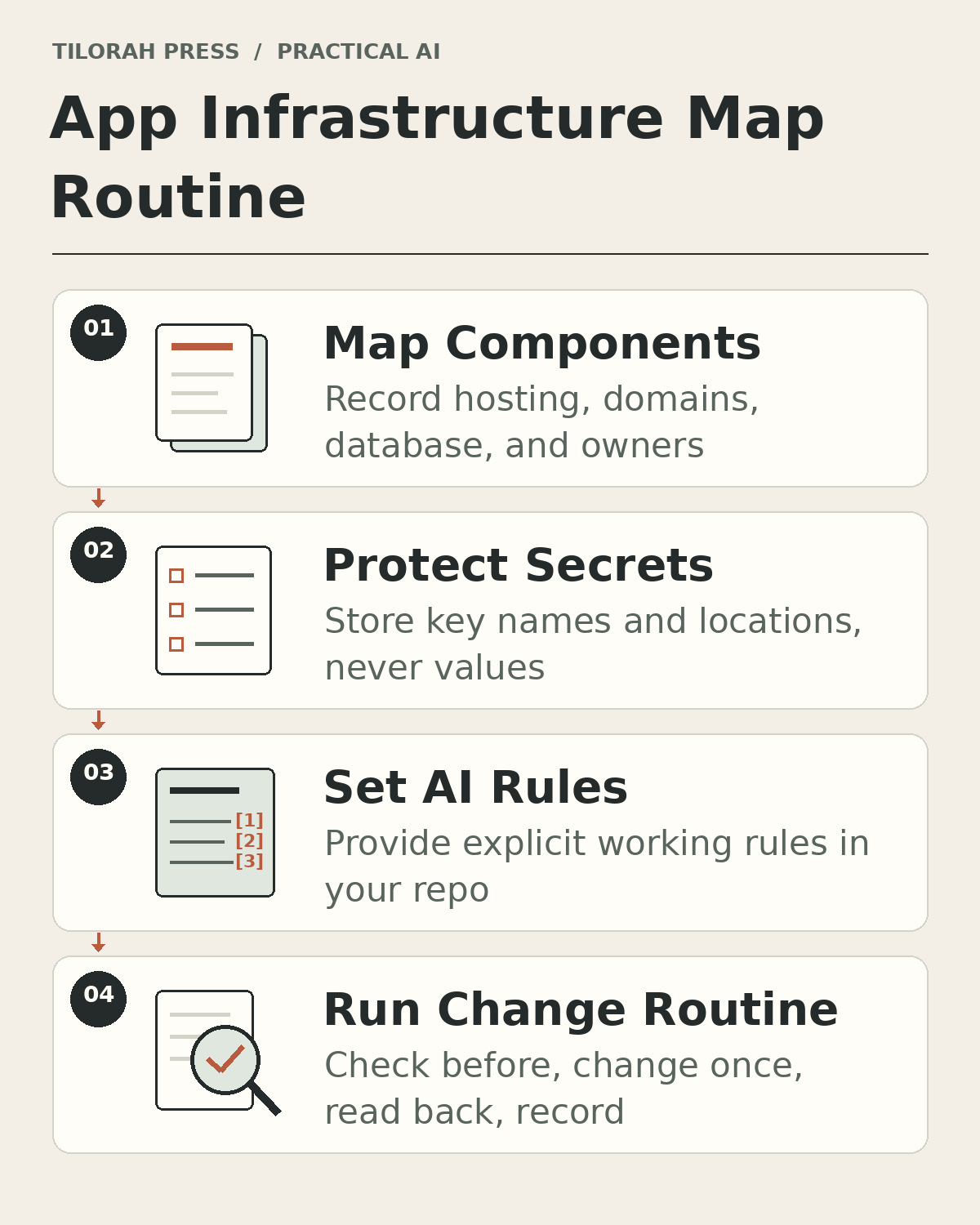 Figure 1: Four habits that keep an AI-built app organized: map components, protect secrets, set AI rules, and run a safe change routine.
Before You Start
Gather three prerequisites before organizing infrastructure:
- Administrative login access to your hosting, domain registrar, and code repository accounts.
- A plain-text editor or notes document in your project folder.
- A list of third-party services connected to your app, such as payment gateways or email services.
Why Infrastructure Gets Lost When AI Builds Fast
By default, an AI assistant knows only the files and messages you give it. Connected tools can let it read outside accounts, bills, inboxes, or hosting dashboards, depending on their permissions. Still, it has no record of accounts you created elsewhere unless you give it one.
This causes three common problems:
- Scattered accounts: An assistant suggests separate providers, scattering logins across accounts.
- Hidden dependencies: Installed packages may rely on remote services; if that service changes or shuts down, parts of your app can stop working.
- Ghost deployments: When an assistant suggests upload commands, beginners often assume edits are live. Without inspection, you risk editing locally while visitors view an older version.
To maintain clarity, keep a central record outside the conversation.
The One-Page Infrastructure Map
An infrastructure map is a plain-text document in your project folder tracking six foundational parts:
- Source code repository: A repository (or repo) stores files with history through version control. A branch is an independent development line; the production branch (often
main) holds tested code powering the app. - Web hosting: Your hosting provider is the cloud server storing and serving web files. Record the provider, project ID, and upload method.
- Domain and DNS: Your domain is the web address visitors type. A registrar sells domains. DNS (Domain Name System) translates domains to server addresses; a CNAME (Canonical Name) record points one address to another.
- Database: A database organizes structured data like user accounts. Record platform, backup routine, and owner.
- Environments: An environment is an isolated computer setup where software runs, separating private test setups from public live environments.
- Outside services: Catalog external integrations, like payment gateways and transactional email networks sending automated receipts and password resets.
For each component, record five facts: service name, purpose, account owner, operational status, and renewal or billing details. If an owner or renewal date is unconfirmed, write "Unknown" explicitly. Marking an item as Unknown highlights an immediate operational task; guessing creates false confidence.
Keeping Secret Keys Safe
Connecting outside services requires credentials called API keys (Application Programming Interface keys). Some appear in browser code (publishable keys), while others carry administrative power (secret keys). Treat any key marked secret like a password.
Handle credentials with care:
- Never paste secret keys into prompts: AI chats may be stored remotely, depending on provider settings. Treat secret keys like confidential passwords.
- Record names and locations only: List key labels (such as
PAYMENT_SECRET_KEY) and locations. Never write raw token values in documents or repositories. - Use environment variables: Store secrets in an environment variable, a setting outside code on your computer or hosting dashboard. Keep secret values only in server-side variables, add local
.envfiles to.gitignore, and never use public variable names for secrets. A.gitignorefile ignores untracked files only. If a.envfile was already saved into version control, adding it to.gitignoredoes not remove it; you (or your assistant, with your approval) must stop tracking it, save that change, and rotate any saved secret. Check withgit ls-files .env(prints.envif version control is already tracking it) and stop tracking it withgit rm --cached .env(stops tracking the file while keeping it on your computer). - Rotate exposed credentials immediately: The normal staged order is: generate a new key on the provider dashboard, update the environment variable, redeploy or restart the app, confirm test operations, and revoke the old key. If exposure is high risk (such as a live secret key published, committed, or pasted in a shared place) or a new key cannot be deployed quickly, revoke the exposed key immediately even if the app stops working temporarily, and follow the provider's emergency revocation instructions.
An AI Working Agreement
AI assistants do not inherently understand operational safety. In my repositories, I keep a working agreement file named AGENTS.md. Here is a starter version for a small app:
# AI Assistant Working Agreement

1. Scope rule: Edit only assigned files.
2. One writer per file: If another writer is editing a file, do not edit it.
3. Secret protection: Never request or display secret keys; reference by name.
4. Configuration safety: Do not alter deployment scripts or settings without approval.
5. Transparent actions: Explain proposed commands before running them.
6. Stop and report: If a step or check fails, stop and report the exact error.
My guide on verifying AI coding agents shows how to give an assistant checks that prove its work. A working agreement sets expectations; checks confirm the result.
The Safe Change Routine: Before, Change, After, Record
When updating an application, follow this four-part routine:
- Check Before: Confirm the live site is healthy. Verify there are no uncommitted changes (edits not yet saved into version control history), note the current version tag (a label such as v1.4.0 that marks a saved release), and prepare a rollback plan to revert the site if problems occur.
- Make One Bounded Change: Apply a single adjustment at a time. To deploy means sending files to your hosting server so changes become active. A build converts source files into a bundle ready for servers. Isolating edits ensures that if an error appears, you know the cause.
- Read Back After: Never assume deployment succeeded because a command finished cleanly. After I upload a change to this website, I read back the public page and its images; a "deployment started" message is not proof. Inspect the live feature directly.
- Record the Update: Update your infrastructure map immediately with the new version, date checked, and modified settings.
Honest Status Words
Clear operations require precise terms:
- Planned: Proposed in notes, but no accounts or configurations exist yet.
- Configured: Accounts and settings exist, but not connected to live user traffic.
- Started: A build or upload is running. A started notice is not proof of completion.
- Live and verified: The feature is actively serving users and an operator directly confirmed it on the public web.
Tag every observation with the date checked. An observation from last month is historical context, not proof of current health.
Worked Example: Sunlight Yoga Booking
Consider Sunlight Yoga, a fictional yoga studio whose founder documented its booking app in this map:
Code Repository
- Service and project: Hosted Git (
sunlight-booking) - Purpose: Source code and revision history
- Primary owner: Studio Founder
- Operational status: Live and verified (2026-11-01)
- Renewal or billing: N/A (Free tier)
- Notes: Main branch protected (requires review before changes merge); deploys come only from main.
Web Hosting
- Service and project: Cloud Hosting (
sy-web-prod) - Purpose: Serves website files
- Primary owner: Studio Founder
- Operational status: Live and verified (2026-11-01)
- Renewal or billing: Monthly auto-pay
- Notes: Connected to the repository; each update to main starts a new deploy.
Studio Domain
- Service and project: Registrar Alpha (
sunlightyoga.example) - Purpose: Web address
- Primary owner: Studio Founder
- Operational status: Live and verified (2026-11-01)
- Renewal or billing: 2027-04-15
- Notes: DNS at registrar; CNAME points to hosting project.
Customer Database
- Service and project: Managed Cloud DB (
sy-db-main) - Purpose: User accounts and bookings
- Primary owner: Unknown
- Operational status: Live and verified (2026-11-01)
- Renewal or billing: Unknown
- Notes: Created by freelance technician; access pending audit.
Payment Gateway
- Service and project: Merchant API (
sy-pay-live) - Purpose: Card payments for bookings
- Primary owner: Studio Founder
- Operational status: Configured (2026-11-01)
- Renewal or billing: Monthly auto-pay
- Notes: Account verified; test keys working; live checkout disabled.
The database entry marks the owner and renewal as "Unknown", highlighting a necessary task: locating credentials and securing ownership.
When enabling card checkout for a $20 drop-in class pass (fictional price), the founder ran the change routine:
- Check Before: Confirmed live schedule loaded, verified no unsaved edits at version tag
v1.4.0, and prepared a rollback for errors: switch PAYMENT_MODE back to test and restore the previous PAYMENT_SECRET_KEY value in the hosting dashboard, then redeploy tag v1.4.0. - Make One Bounded Change: Instructed the assistant to edit only the booking card file and to read the publishable key from the public variable NEXT_PUBLIC_PAYMENT_KEY, replaced the test value of PAYMENT_SECRET_KEY with the live key and switched the payment setting from test mode to live mode (
PAYMENT_MODE=live) in the hosting dashboard settings (outside code), and deployed. - Read Back After: Visited live schedule, completed one real booking with the founder's own card, verified confirmation screen, charge, and database record, and refunded test order.
- Record the Update: Updated map setting Payment Gateway to "Live and verified (2026-11-03)" at version tag
v1.5.0.
Honest Limits
An infrastructure map is an administrative tool with boundaries:
- A map is a record, not a security system: Listing accounts does not secure them. Maintain strong passwords and two-factor authentication (a secondary verification step like a mobile code) on dashboards.
- AI prompts are requests, not technical permissions: Instructing an assistant to avoid configuration files is a behavioral instruction, not an enforced technical permission.
- Verify on provider dashboards: Platform interfaces change. Consult official documentation and live dashboards to confirm active settings.
Taking Your Next Step
Open a text document and list three core components: where code lives, where your site is hosted, and where your domain is registered. Note the primary owner for each, and label missing facts as Unknown.
Once those three entries are written down, you have your first infrastructure map. Add the database and outside services next.